Here's what's new in Timepath this month. We're introducing Timepath Agent, which makes a Timepath product from a conversation. In Poll, Quiz and Survey you now edit right on the card, and all three have a new look for readers.
There's also more for Voices contests, templates you can see before you pick one, photo credits on every image and a new timeline for Liveblog. The three big ones are below, the rest is in our changelog.
Timepath Agent - describe a story, get the product
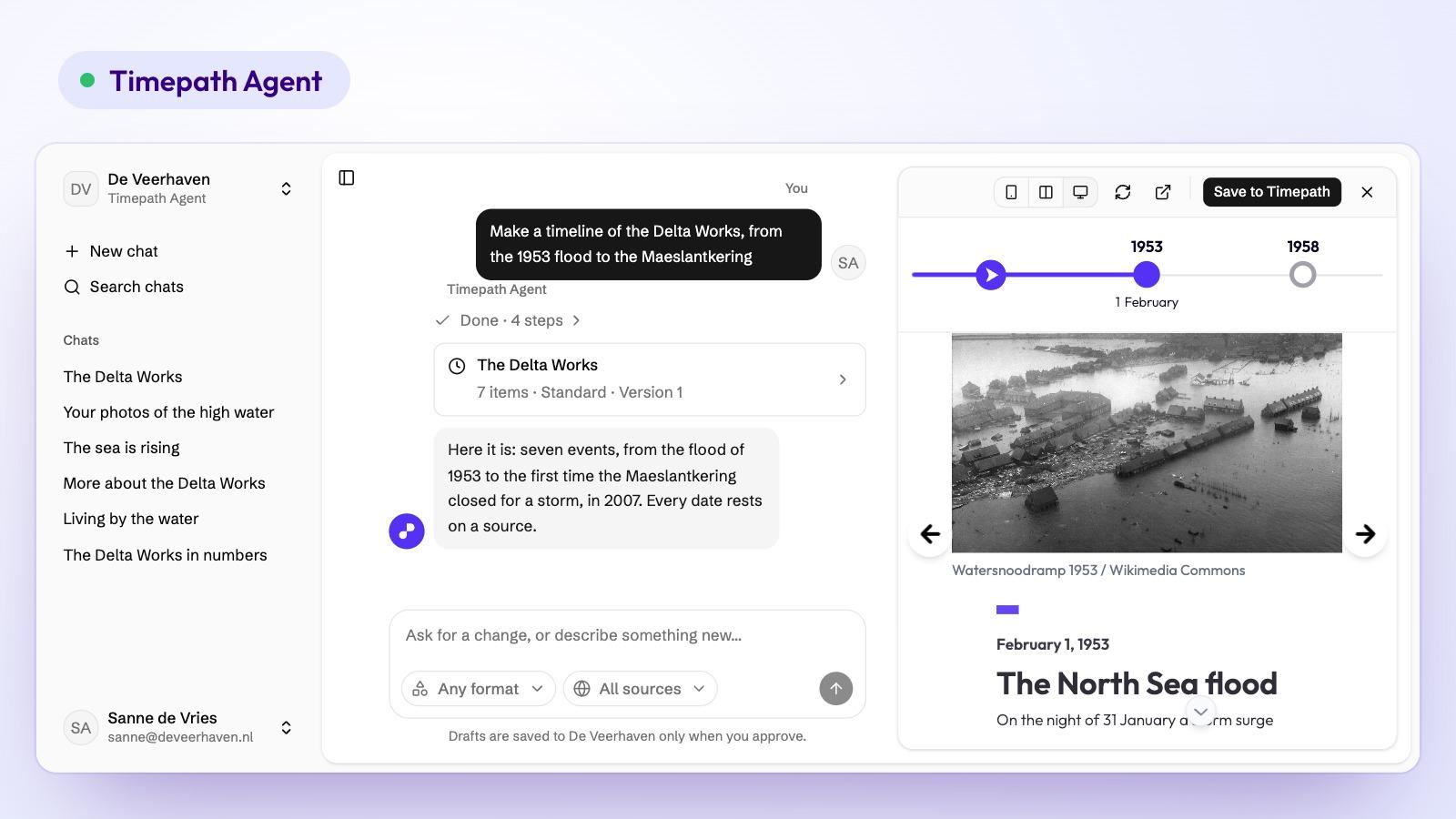
Timepath Agent is a new way to make a Timepath product. Instead of starting in an editor, you describe what you need in a chat, like "a timeline of the new tram line, from the first plan to opening day". The agent researches it, writes the product and shows it next to the conversation, drawn by the same reader your audience will see. It makes eight of our products: Timeline, Quiz, Poll, Survey, Data Story, GEO Story, Collection and Voices.
You change it by asking, and every change is a version you can undo. It starts from your newsroom: your latest articles, the photos in them, and research kept to your own site or to sites you trust. Products you made in Timepath before open in a chat too, to update or translate. In Enterprise workspaces it's part of the studio as well: Home is the agent, and in the editor it sits in a panel beside your product, where you keep or undo each change.
Purpose: Go from an idea to a finished, embeddable product in one conversation.
Key Benefit: The research, the writing and the first layout are done before you open an editor.
Example Use Cases:
A background timeline for a story that is still developing
A quiz on this week's news for the weekend edition
A poll built from this morning's top story
Translating a quiz you made earlier for a second edition
Try it at agent.timepath.co with your Timepath account, or start a 7-day trial.
Poll, Quiz and Survey - edit right on the card
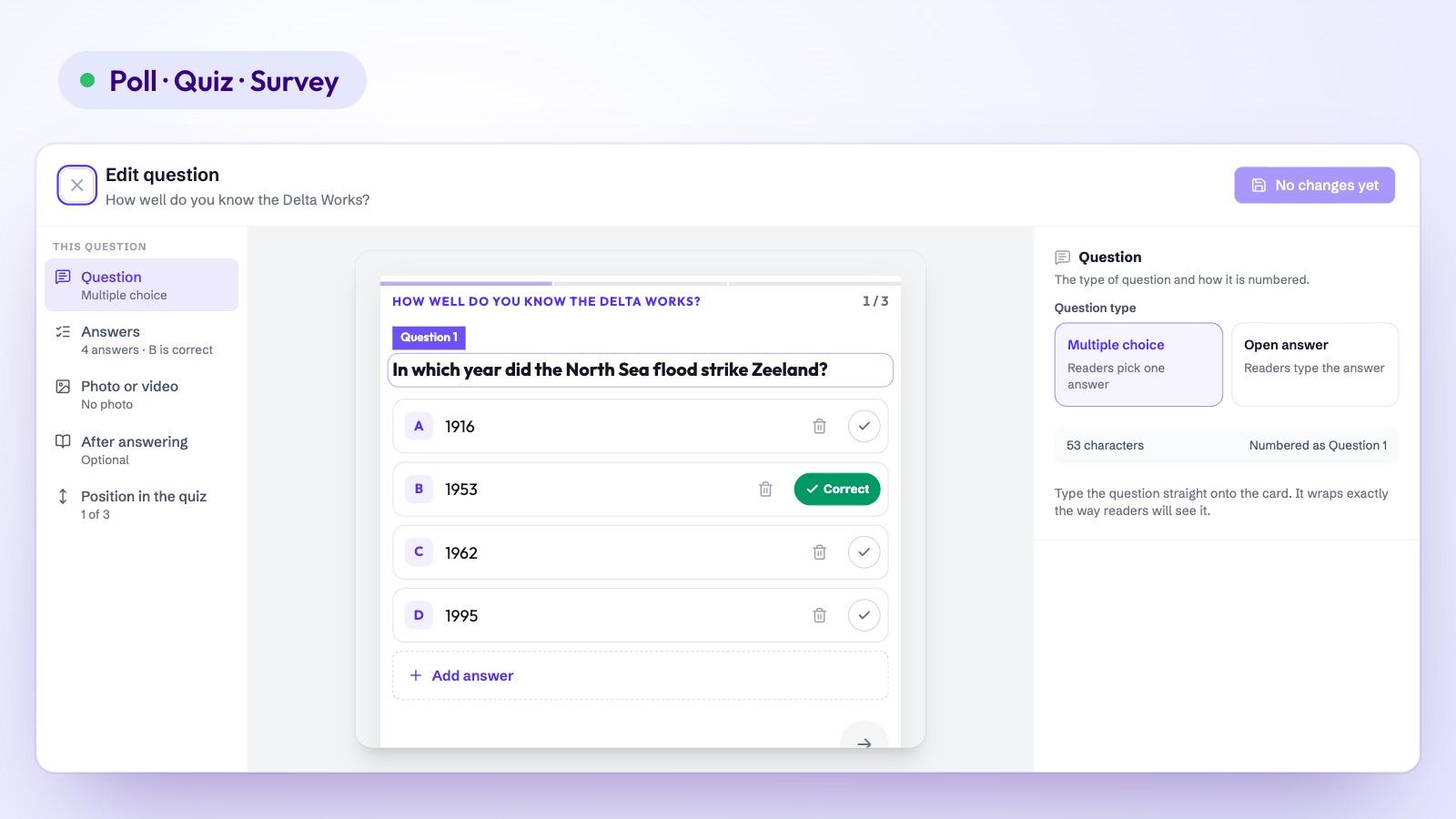
Editing on the card, which started in Timeline and Liveblog, now reaches more of Timepath. In Poll, Quiz and Survey you add and edit a question on the card itself, the way readers will see it. Collection items work the same way, and in GEO Story you add or edit a place on the reader's own card. Voices has one editor for the whole reader's journey, with the settings of the part you click.
Starting is easier too. A new poll or quiz opens on a first screen that shows it and asks how you want to fill it: write it yourself, or start from the news. Questions drafted from an article wait beside the product until you've checked them, and only then are they saved. An empty article collection asks you the same question.
Purpose: Write your questions and items where your readers will see them.
Key Benefit: What you see while you edit is what your readers get, and nothing drafted is saved before you've checked it.
Example Use Cases:
Fixing a typo in a poll answer with one click
Adding a question to a quiz while you read the article it's about
Drafting a poll from this morning's top story
Adding a place to a GEO Story right on its card
Try it: open a quiz and click a question.
Poll, Quiz and Survey - new looks for your readers
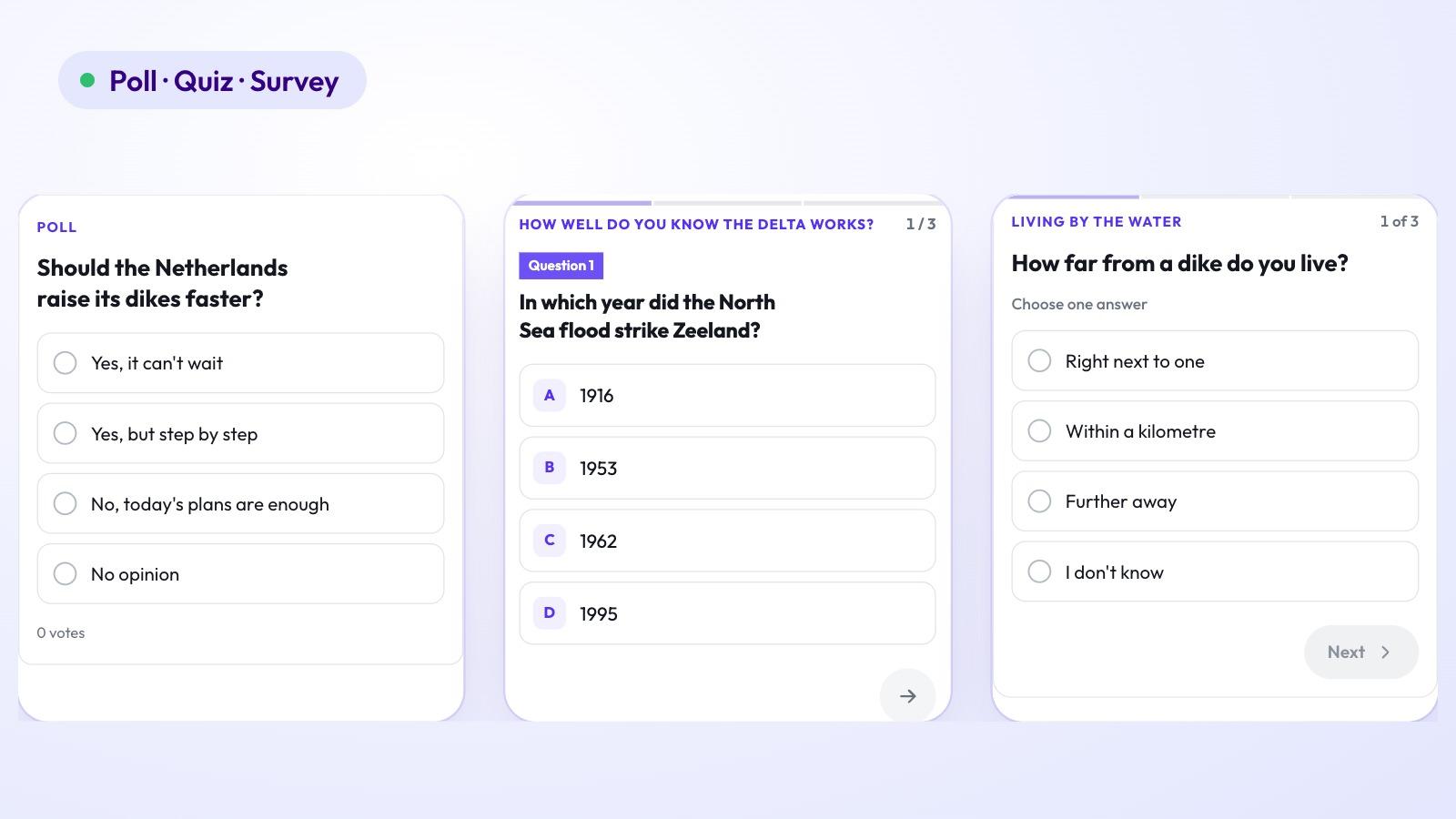
The Standard Poll has a new Classic layout, with new settings in the editor and a quieter Timepath credit under the card. After voting, readers can go straight to the reactions or to a Read more link. The Standard Quiz got the same treatment: a calmer Classic design with a photo viewer and photos on the result screen, and a Design Studio to style it.
Survey has a new reader for linear and pathway surveys. Each question's answers get a screen of their own, the button says Next instead of Skip, and the Optional label only shows when a survey also has required questions. You can also put a cover in front of the first question.
Purpose: Polls, quizzes and surveys that are calmer and easier to follow.
Key Benefit: Cleaner screens on a phone, with your photos doing more of the work.
Example Use Cases:
A weekend news quiz with a photo on every result
A reader survey with a cover that says why you're asking
A quick poll under an article that links on to related reading
A long survey readers can finish on a phone
Try it: create a Standard quiz and look at the preview.
Also new in October
Voices: readers send up to five photos in one entry and can sign up for your newsletter, and you judge the entries in a grid with a shortlist.
Create a Poll or a Collection by picking how it looks, with each template's own content in a large preview.
Any photo in any product can carry a photo credit and a link, and readers see it on the photo.
Collection warns you when auto-update stops finding articles, and finds them again in one click.
Liveblog: Vertical Classic gets dots in your brand colour on a rail, and you switch between Classic and Modern from the top bar.
Why it matters
A lot of this month came from watching journalists build under time pressure. The agent takes the research and the first draft off your hands, and editing on the card means you check the result where your readers will see it.
So keep it coming. If something in Timepath slows you down, tell us and we'll look at it.
These features are available now in the Timepath editor, and Timepath Agent at agent.timepath.co.
Curious how these new updates could improve your newsroom's workflow?
Book a short demo session with our team!